My Contributions
- Led the development of the complete Unity application, from the visitor input flow and state management to AI integration and the multi-screen presentation.
- Built the OpenAI pipeline for prompt moderation, relevance classification, and image generation.
- Designed fallback and persistence systems so the installation could continue operating during network or API failures.
- Made the installation configurable through external text files, allowing gallery staff to adjust API settings, prompts, models, and profanity lists without rebuilding the application.
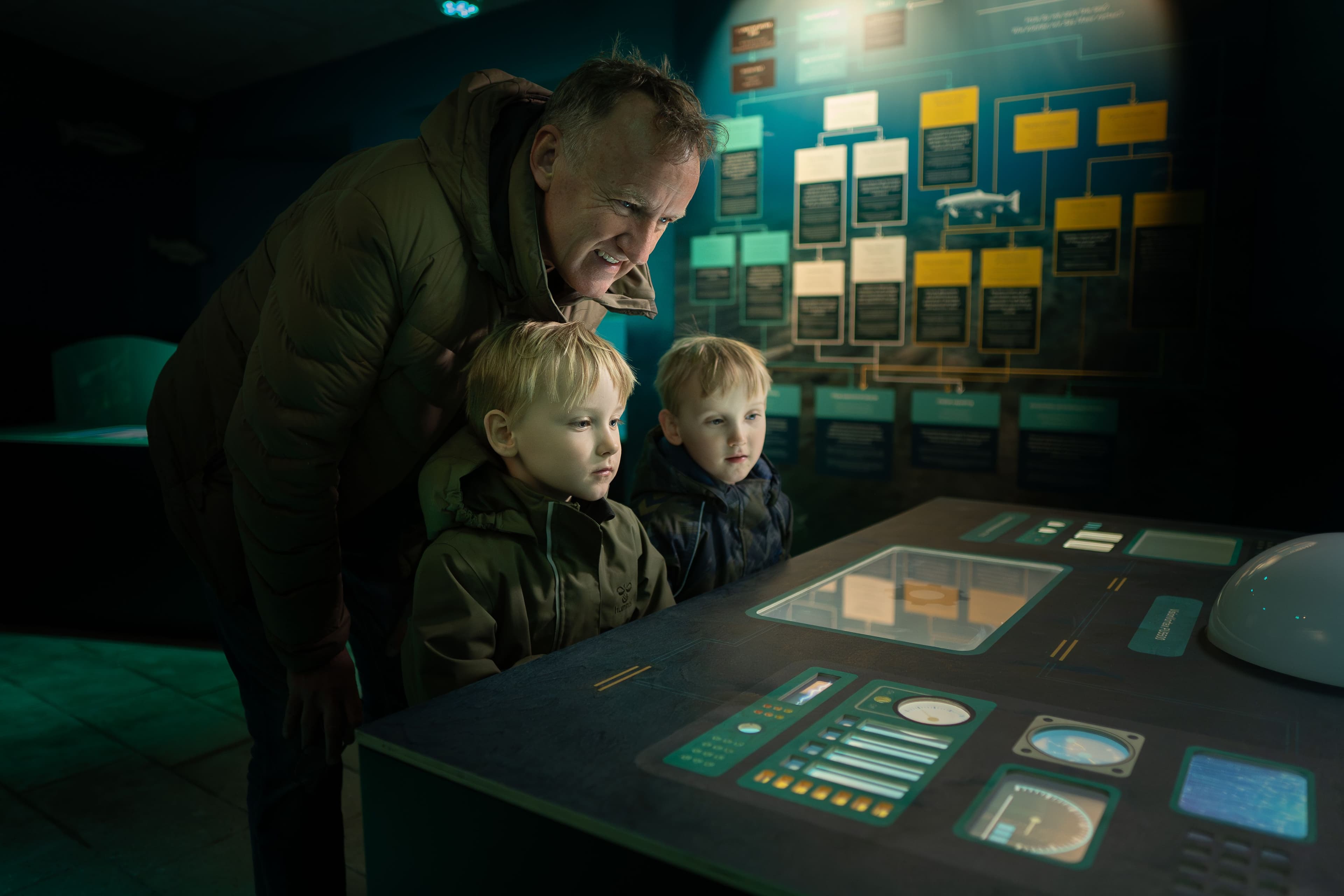
The Dødvande ("Dead Water") exhibition at Kattegatcentret, the Danish aquarium in Grenaa, features an installation that turns visitor ideas into generated images.
Visitors approach a sci-fi themed machine and enter an idea for improving the ocean environment. The idea is processed through a series of checks before being sent to the OpenAI API for image generation. The resulting image is then presented as part of a synchronised show across four displays, sound, animation, and DMX-controlled lighting.
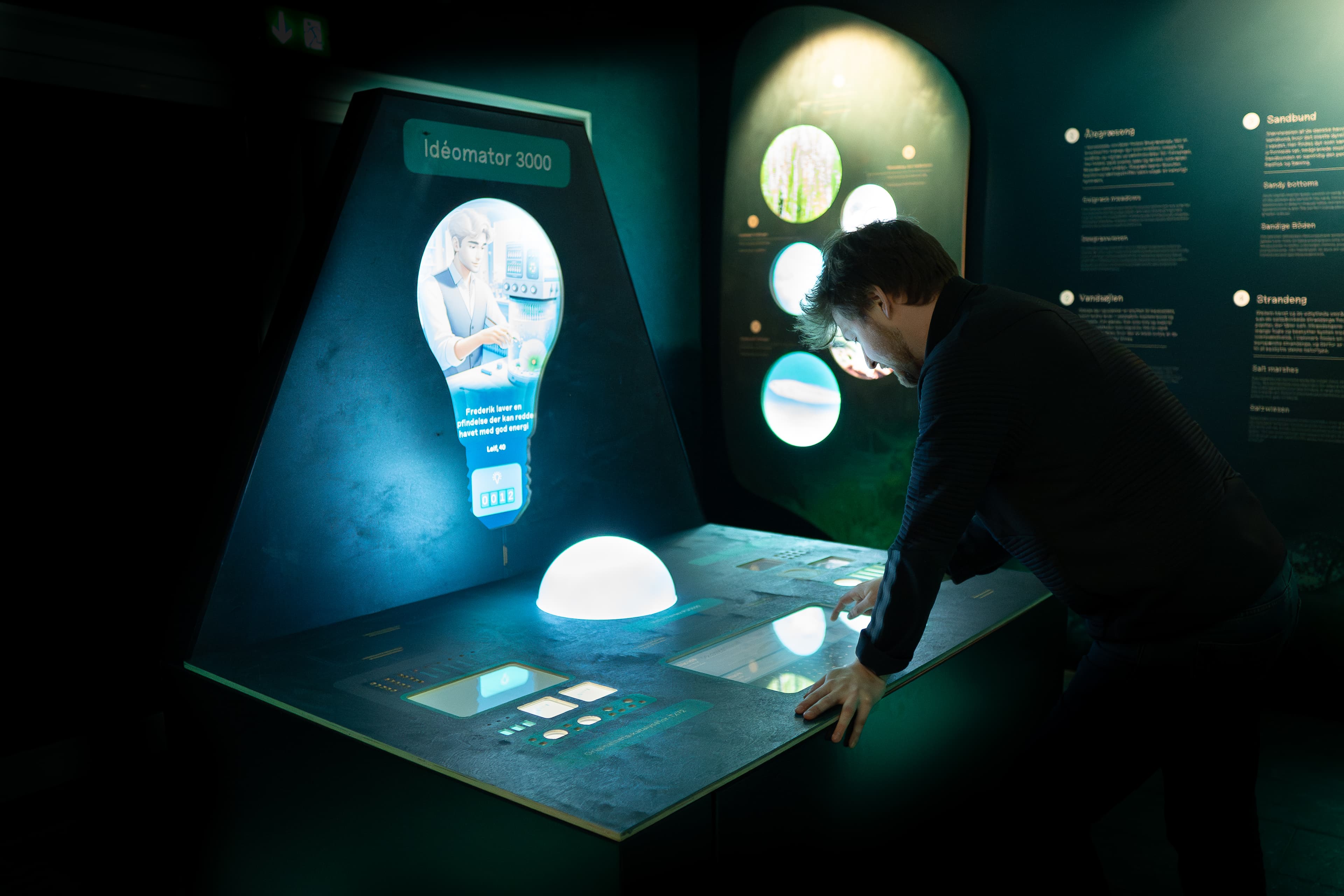 The Idea Machine enclosure in the Dødvande exhibition
Building for an exhibition environment
The installation had to combine a relatively unpredictable technology — generative AI — with the requirements of a public exhibition.
Visitors can enter arbitrary text, including content that shouldn't be sent to an image-generation service. The generated results also need to remain relevant to the exhibition, while the installation itself needs to run unattended for long periods of time.
I therefore designed the application around a finite state machine, keeping the different stages of the experience separate:
Idle → Input → Processing → Output
The state machine coordinates the different parts of the installation, including the AI pipeline, audio, lighting, dashboards, and slideshow. This gave the different systems a shared lifecycle without having to depend directly on each other.
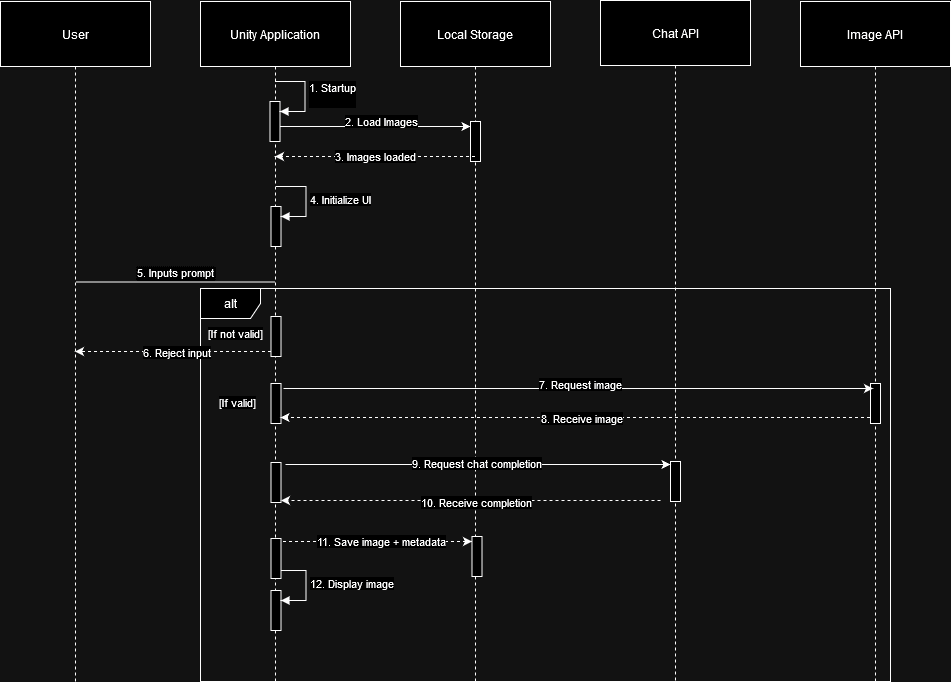 Runtime flow of the Idea Machine state machine
Moderation and relevance
The AI pipeline uses multiple stages rather than sending every visitor submission directly to image generation.
First, the visitor's input passes through a profanity filter covering Danish, English, and German. The word lists are stored externally so they can be updated without rebuilding the Unity application.
The accepted prompt is then evaluated for relevance to the exhibition before being added to the public slideshow. A second OpenAI call classifies the idea against topics defined for the exhibition, such as ocean environments, pollution, farming, and inventions.
The image-generation and classification steps are kept separate: the generated image can be stored even when the submission isn't considered relevant, but only relevant submissions are promoted to the public slideshow.
AI image generation
Once a prompt has passed the initial checks, it is sent to OpenAI's image generation API.
Generated images are downloaded to the local installation and stored together with metadata describing the submission, including the prompt, visitor information, creation time, and relevance status.
The installation maintains a rolling collection of relevant images for the slideshow. This also means the system has something to display when it starts up before any new visitors have submitted an idea.
Designed to keep running
An exhibition installation can't assume that its internet connection or external APIs will always be available.
Generated images and their metadata are therefore persisted locally using Unity's Application.persistentDataPath. On startup, the installation can reconstruct its slideshow from previously generated content rather than depending on a live API connection.
Fallback images stored in StreamingAssets provide an additional safety net for a fresh installation or a period where no relevant submissions are available.
The result is that an OpenAI outage or temporary network problem doesn't leave the exhibition with a blank screen.
Four screens, sound and DMX
The generated image is only one part of the experience. The application controls a four-screen presentation, with separate screens for visitor input, visualisation, and the animated dashboard elements.
I built the coordination between the screens, animations, audio cues, and DMX-controlled lighting around the same state-machine events used by the AI pipeline. This keeps the physical and digital parts of the installation synchronised throughout the experience.
Configurable without rebuilding
The installation was designed to be adjusted at the venue without requiring a new Unity build.
API configuration, model selection, image-generation settings, classifier context, and profanity word lists are stored as external text files. This allows the exhibition team to adjust the content and configuration as the installation evolves without changing the application itself.
Delivery
As Lead Developer, I delivered the Unity application and its integrations as a standalone exhibition installation.
The final system combines visitor interaction, generative AI, local persistence, multi-screen presentation, audio, and physical lighting into a single installation designed to operate reliably in a public museum environment.